
Print copies for you and all students: Intro to Ground School: 2 Aerodynamics
DISCUSSION:

Print 1 copy for yourself, if you will be teaching a class: Intro to Ground School – First Class
Print student copies:
DISCUSSION:
This class is called “An Introduction to Ground School.” Ground school is where people learn what they will need to know to become pilots. Flight school is where people practice flight skills, actually learning how to fly. “Ground School” takes place on the ground and comes first. “Flight School” takes place in the air and comes after people have acquired some important knowledge that will help them learn to fly safely.
This course is not ground school. But it will give you a good idea about the types of things you would learn in ground school.
You’ll find that there’s a whole lot more to learning to fly than just learning how to drive an airplane, just like there is a lot more to driving a car than just learning to steer and use the gas pedal and brake. Both require you to learn and use good judgement so that you can get around safely and manage risk to other people’s lives and your own.
What sorts of things do you think pilots need to understand in order to learn to fly?
Today we will be begin our studies by learning about aircraft.
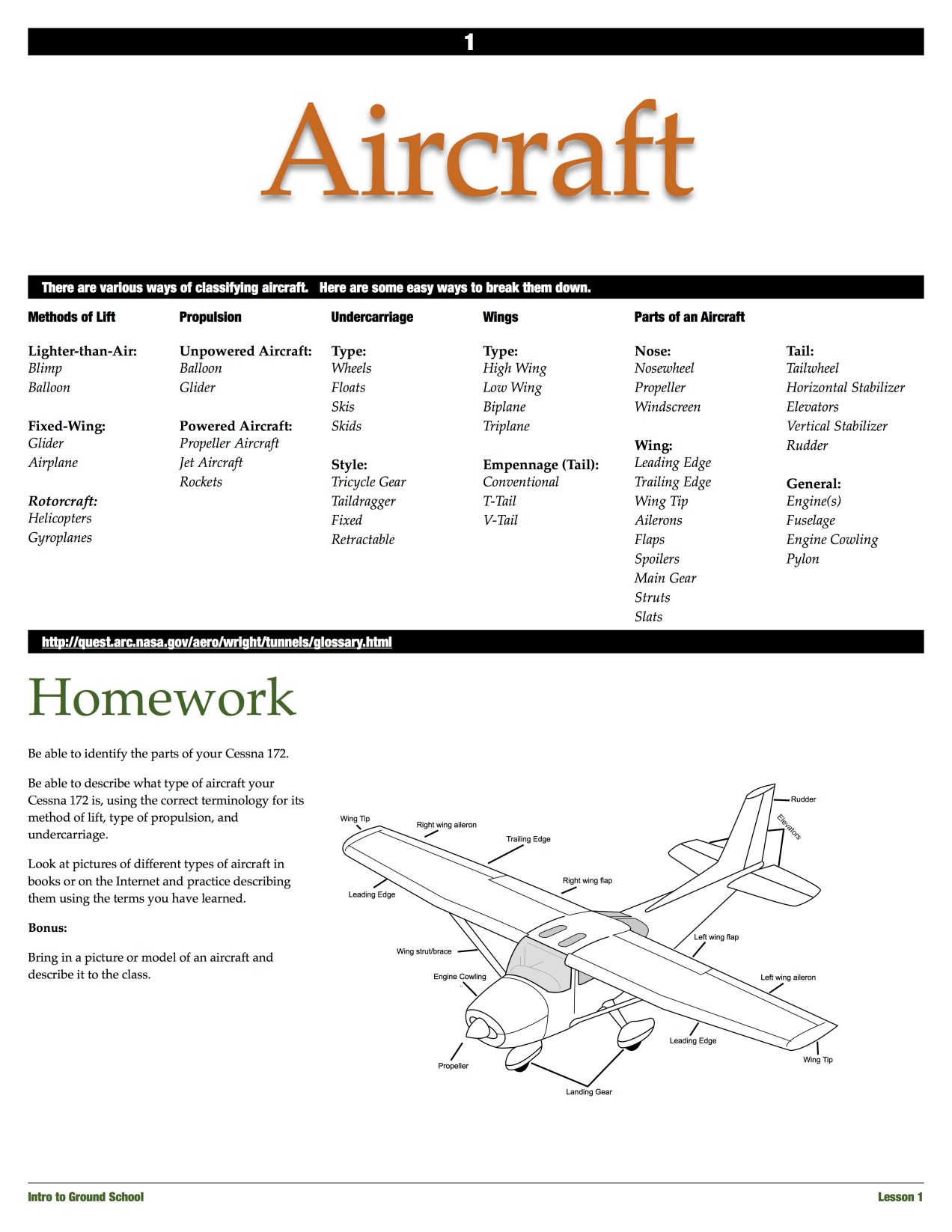
Distribute Aeronautics Glossaries: Aviation Glossary
What is an aircraft?
Describe types; use model airplanes (Find model aircraft here)
Distribute model Cessnas (Model Cessna 172) and homework pages Intro to Ground School: 1 Aircraft
Amazing Science – What does a Civil Engineer do?
The Complications Behind Runways (National Geographic) (through 20:48) (28.08-36:42)
EMI – Engineering Ministries International in Uganda
Additional Resources:
Kijabe Water and Sanitation Fundraising Video
Kijabe Sanitation Project Flyover
Civil Engineers: Occupational Outlook Handbook
Draw on white board: Aviation Science spider web
Video: The Biggest Airport in the World Ever Built (while the video is playing, point out and/or have the students point out examples of the areas of science that you discussed while drawing the “spider web.”
Architecture of Airports…
Considerations?
Additional Resources:
Print copies for each student and for yourself:
Show the rest of the video from last week if there wasn’t time for you to complete it. (36:35) The Biggest Airport in the World Ever Built
What is Infrastructure?
What does infrastructure move and deliver?
What does infrastructure consist of?
Look Around: What is Infrastructure?
Exercise: Location by stations and bearings
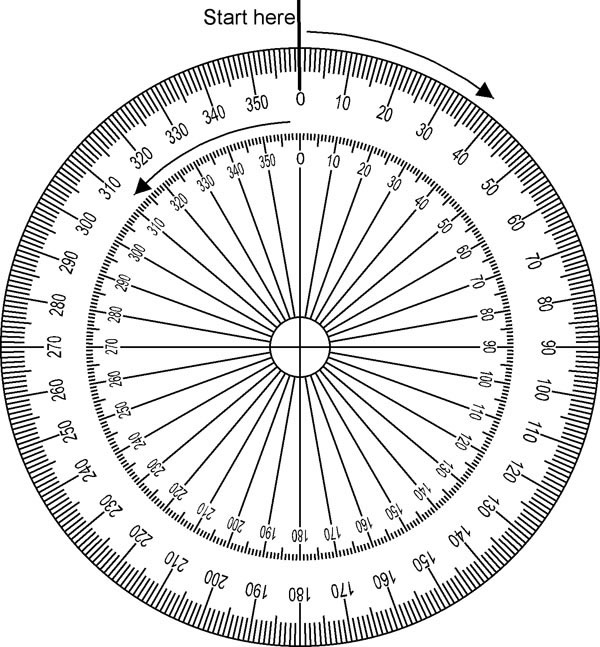
Show an aviation chart with airways and VORs
Discuss Air Traffic Control: How a Control Tower Works (1:13)
Civil Engineers are engineers who design and improve elements of infrastructure.
Additional Resources:
What’s That Infrastructure? Episode 2
Runways to Riches: The Importance of Aviation Infrastructure to the Global Economy
Aviation Infrastructure for the 21st Century NASA Aeronautics Design
I have never been one to keep a homeschool portfolio. I’ve kept good written records but don’t have time to arrange worksheets, artwork, writing and photos in binders.
But this year I’ve found an easy, quick way to keep a portfolio. It’s actually streamlined my record keeping rather than making it more tedious.
If you’re reading this, then you have a wordpress.com account. You can create a totally private blog (select it under privacy settings and just don’t share the address with anyone) and post quick pictures for your reference. Here’s what I did:
Start a private blog. We try to keep our kids’ pictures off the internet or unidentifiable, so I’ve made this something only I will access. When it comes time for evaluations at the end of the year, I can show it to the evaluator here at home.
I chose a gallery theme (“Cubic”) because I’m just posting pictures and a paragraph listing what we’ve done for each week.
Here’s what the home page looks like, 3 weeks in:
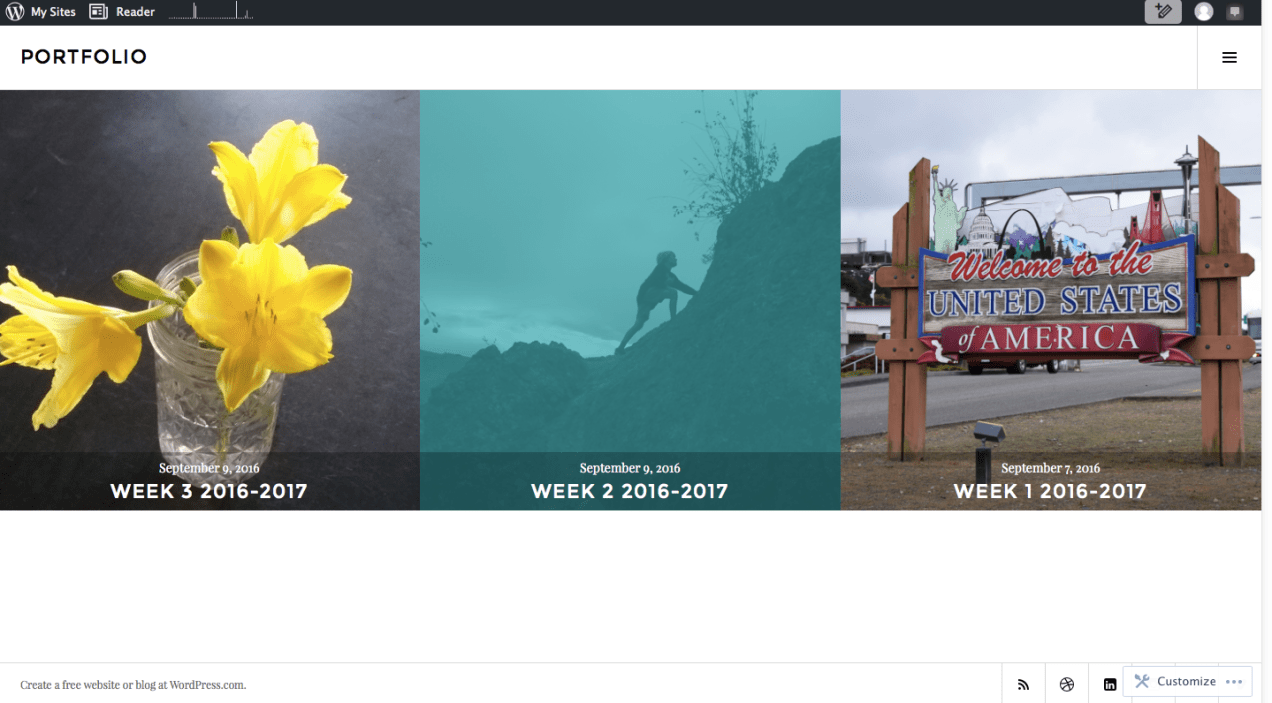
As I add weeks, the squares will fill up the screen.
When the kids do something notable, or if they fill out something on a laminated sheet that will be erased afterwards, I shove a card that has the day on it (“Day 9”) next to whatever it is and take a picture with my phone or my camera, then email it to myself.
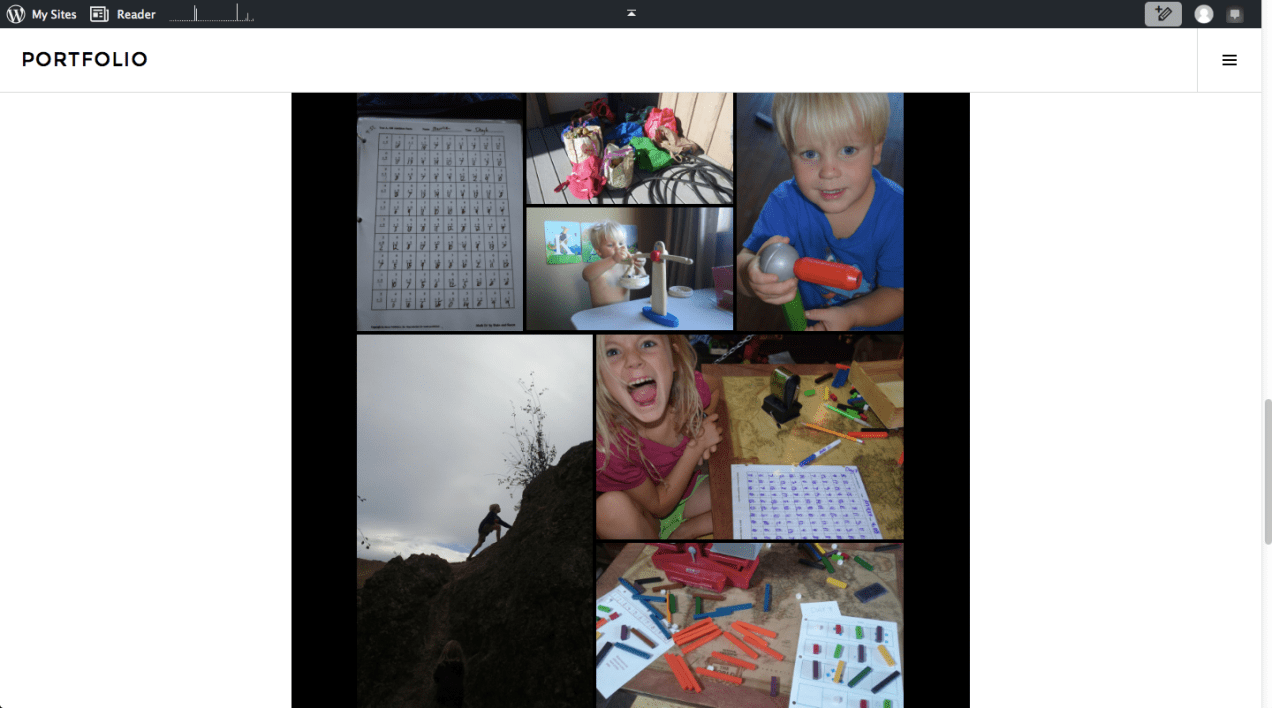
Later, at the computer, I transfer the pictures from the email to the blog. The program assembles them into a great-looking collage. If I click on one of the pictures, it opens up a slideshow of the week.
Here’s a screenshot of one of the collages:
If you’re looking for a good method for keeping track of what your kids have done or learned, hopefully this will give you a starting point.
Enjoy your weekend!
Here are two excellent math dictionaries from www.mathsphere.co.uk. Some of the terms are used more in Britain than they are here, but the explanations are excellent.
This is a fantastic resource, especially if you have come across a math concept that is new to you or if you are trying to figure out how to explain something.
This sheet, available from www.mathsphere.co.uk, is good for playing tic-tac-toe games, designing Sudoku-style logic problems, and teaching children to line up their digits in vertical math problems:
These free, printable resources are available from www.mathsphere.co.uk:
These are fun both for drawing, and for use with pattern blocks.
 Character core curriculum